PHP Point Of Sale makes suspended sales/layaways easy.
Simply start a sale and add items. you can also specify payment and customer information. see Creating Sales & Returns
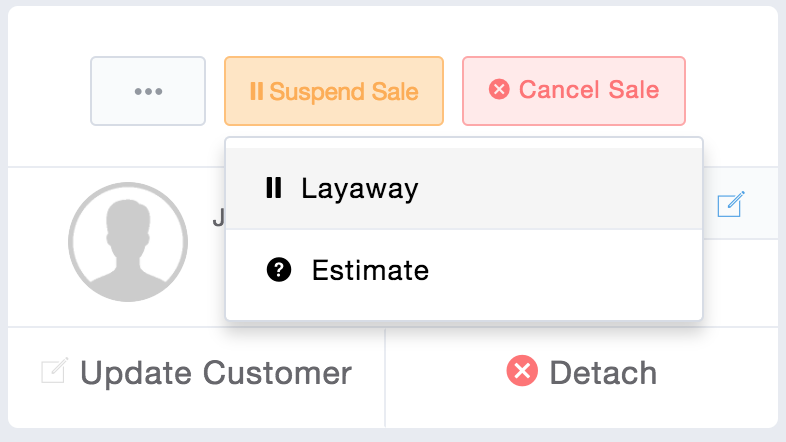
When you are ready to suspend the sale, click the “Suspend Sale button”.
From here there will be 2 options:
Layaway
Estimate
An estimate does NOT deduct any items from inventory, where a layaway does.
Saving Layaway or Estimate
Once you click either Layaway or Estimate the sale is now saved so you can access it later.
How to un-suspend/resume sale
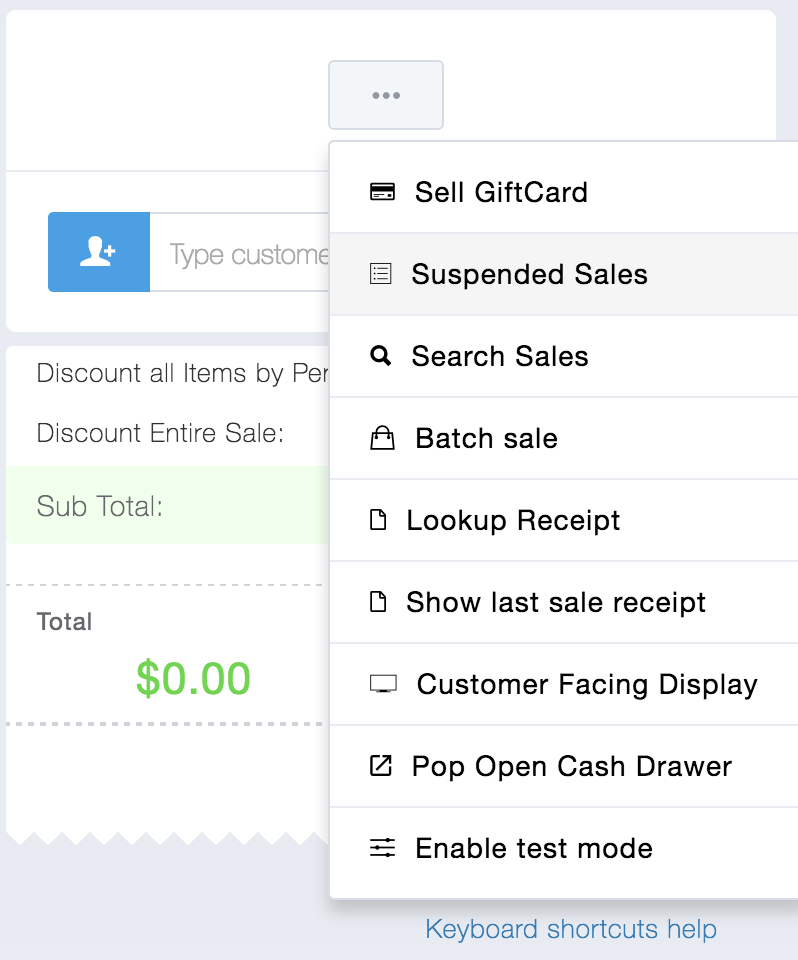
When you want to add payment/complete a sale that you have suspended, go to the Sales Screen and click the “…” dropdown button and then “Suspended Sales”.
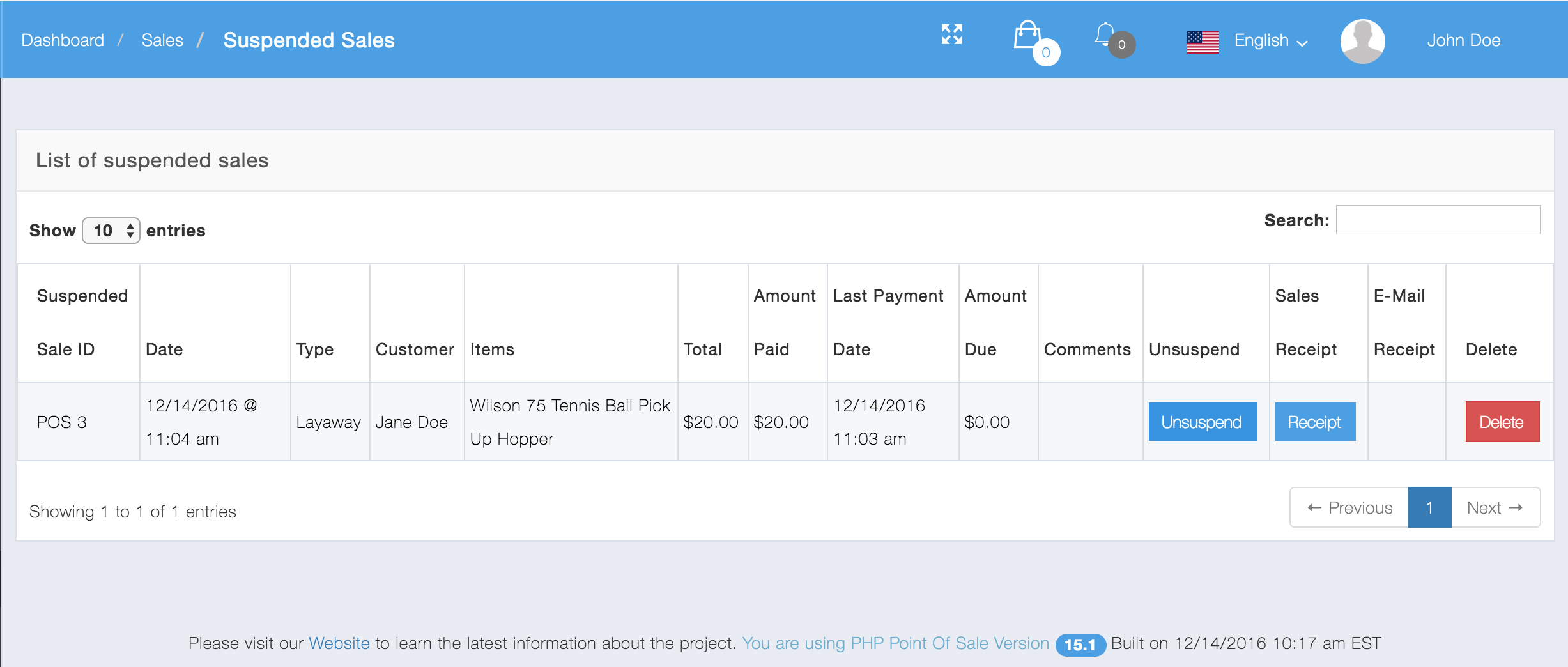
From here you can search for your suspended sales and click “un-suspend sale. This will bring back all the information that you saved from before. You can add payment and then complete or suspended again.
Configuration options
There are 4 configuration options for suspended sales that can be accessed by clicking the Store config Module
Hide lawayay sales in reports: If you do NOT wish for your layaways sales to show up in reports, check this box. Only completed sales will show up in reports.
Change sale date when suspending sale: By default suspended sales do NOT change from their original suspend date after suspending again. if you wish to change the date when re-suspending check this box.
Change sale date when completing suspended sale: When you complete a suspended sale the date does NOT change from the saved value. If you wish to change the date when completing a suspended sale check this box
Show receipt after suspending sale: By default when suspended a sale the cart is cleared and you are back to a new sale. if you wish to show the receipt instead, you can check this box.