
Introduction
NexPos Premium is a great payment processing with high end devices that lets you easily integrate payments with your system. The breakdown below tells you how to get set up.
In This Article:
Sign Up
First, sign up with NexPos Payments Premium. You can sign up here. Once you have signed up, you’ll receive an enrollment letter with all of the information you need.
Hardware Setup and Software Installation
The letter you received on enrollment will detail how to download the NexPos Payments software.
The hardware will be mailed to you. The only hardware requirements are setting up your new card reader with a power source, internet source, and your NexPos software device.
Information about setting your reader up with internet access can be found below:
- 6200 WIFI Setup https://nexpos.com/6200.pdf
- 8500 Ethernet Setup (This allows you to use your software device’s ethernet port to give your reader internet access)
Configure NexPos
Once you have the hardware set up and software installed, it’s time to configure NexPos to communicate with the reader.
Login to NexPos and navigate to Locations in the left menu.
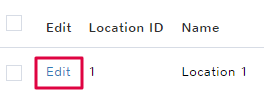
Click to Edit the location you want to set the new credit card processor for.
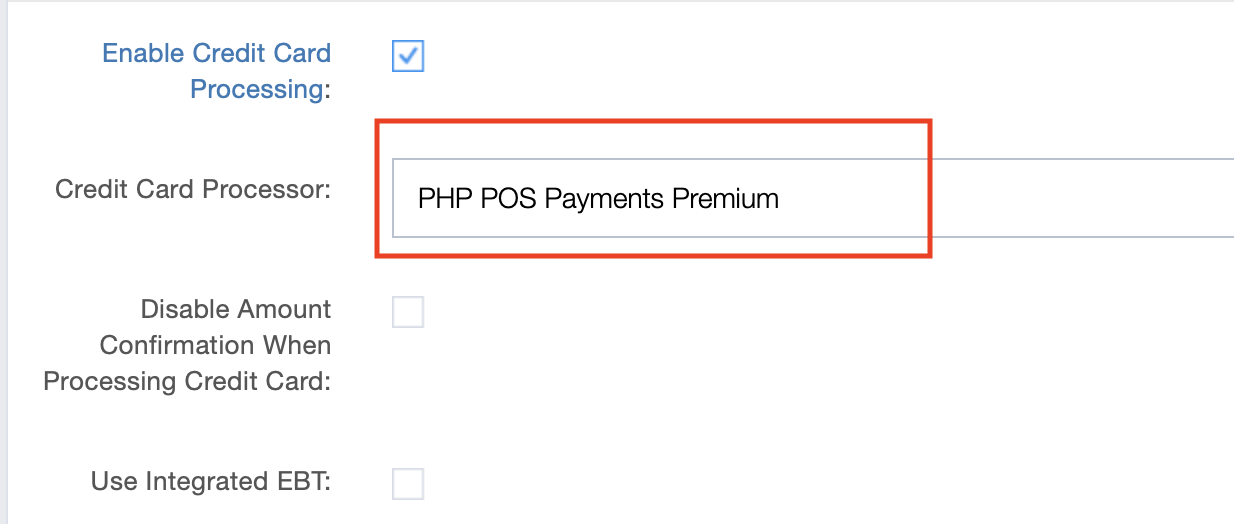
Scroll down to check the box for Enable Credit card Processing. A dropdown will appear below, click to select NexPos Payments Premium In the fields below, fill out the following information from your NexPos Payments software set up:
- NexPos Payments API Key
- NexPos Payments Bearer Token
- NexPos Payments Signing Key
Note: This information will be provided to you by NexPos when signing up.
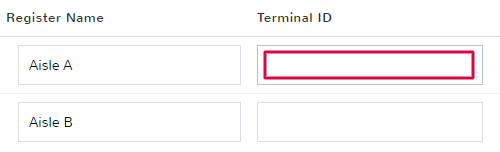
Once you have added all the verification information, add the Terminal ID for the appropriate register.
Help
If you have questions or need help setting up the reader, call 1-800-827-7059.