Vantiv EMV IP Tran Cloud Setup
The IP Tran Cloud device connects to your networks router and then the credit card terminal connects to that.
This allows you to process transactions from any device on the network. (iPad, tablet, computer)

Login to nexpos and click the Locations module and then edit on your location you would like to setup.
Enable credit card processing and put in your IP Tran Device ID as provided with device. You should NOT put in a merchant id unless specifically told to do so by vantiv.
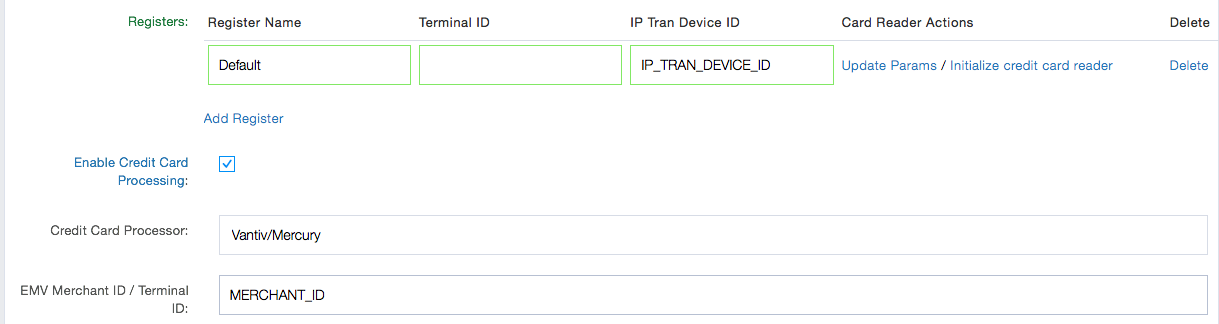
Click “Initialize Credit card Reader”. This can take a couple of minutes. You are now ready to process cards